
Define your AI interview workflow once. The pipeline runs it.
Set the rounds for a role and the bar each one has to clear. Candidates who pass advance to the next round on their own; borderline ones wait for review. Tarkflo handles the movement so recruiters handle the decisions, and nobody chases a candidate between rounds.
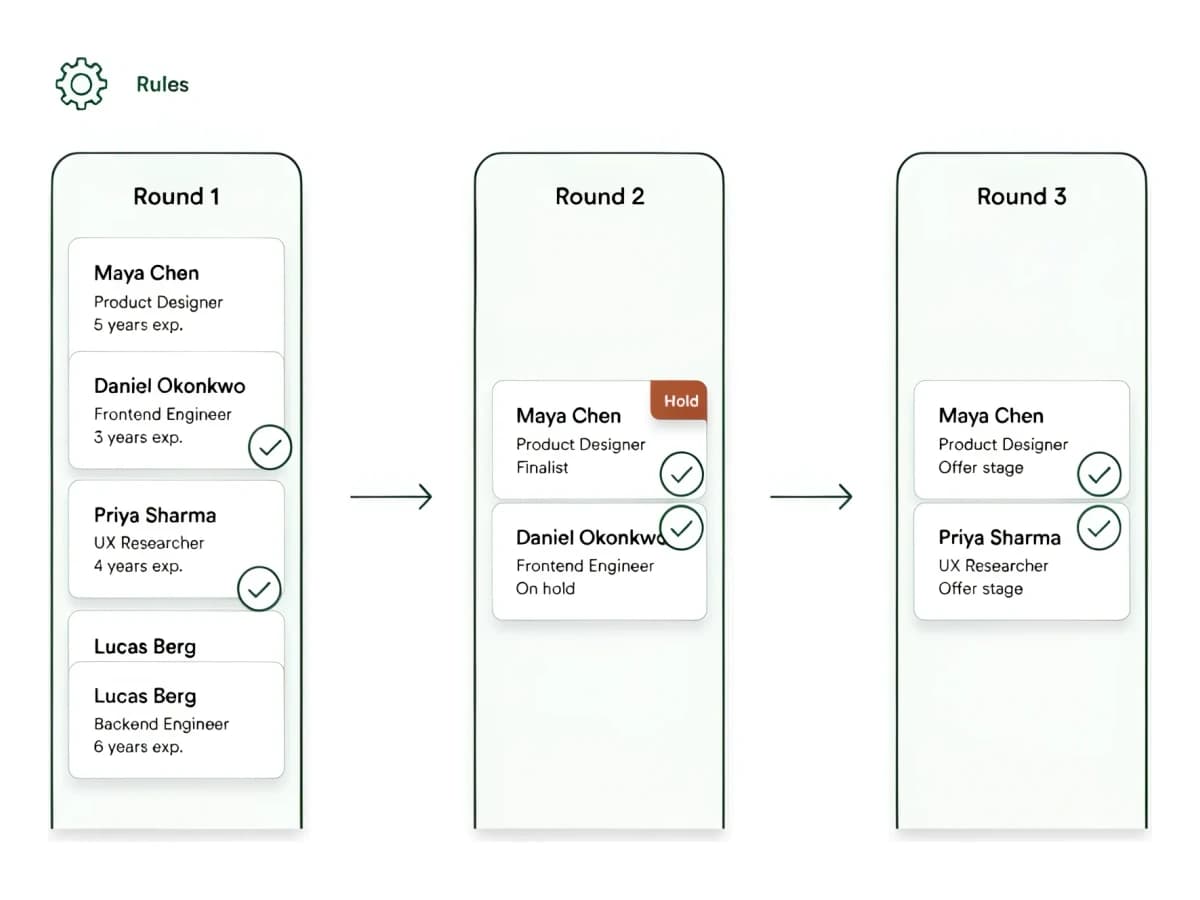
Build the rounds your team already runs
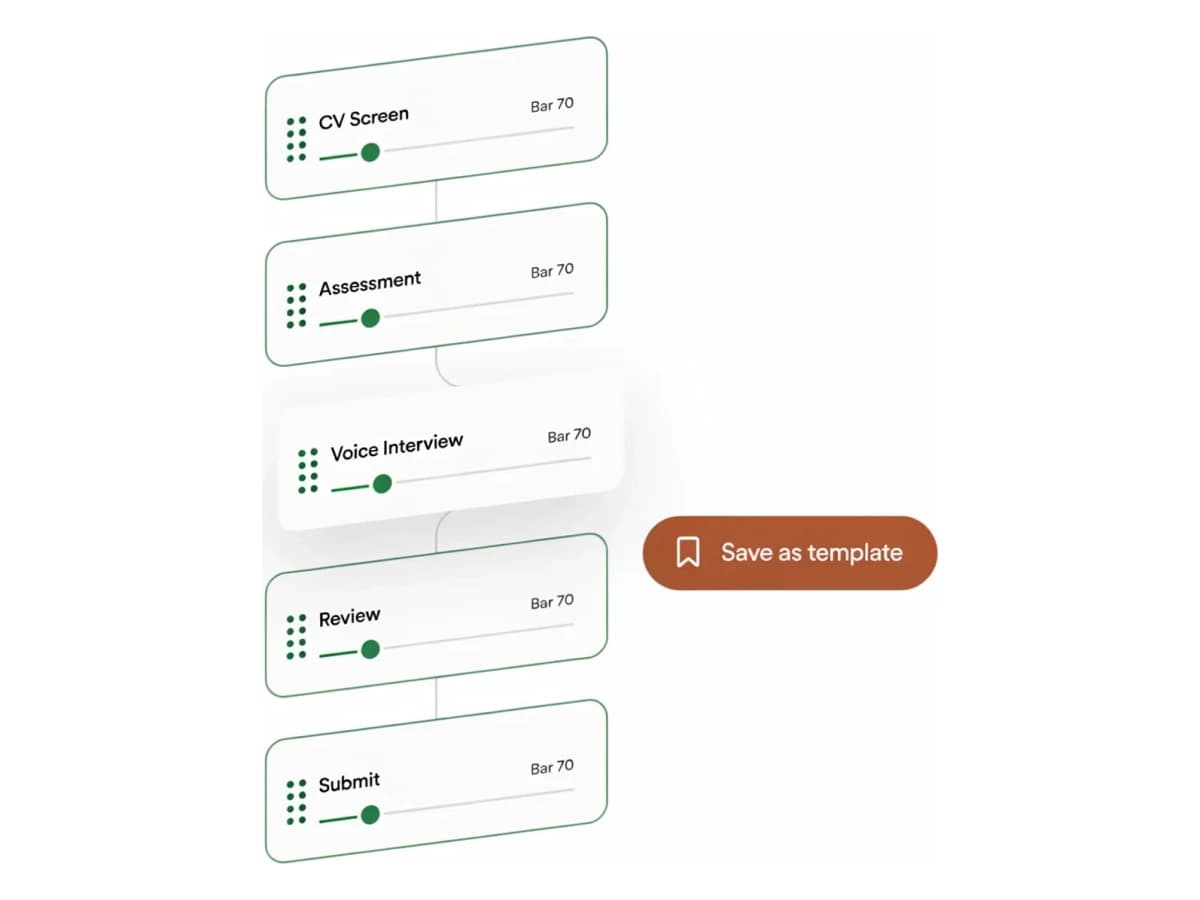
CV screen, assessment, voice interview, recruiter review, client submission: define the rounds for a role once and reorder them as you like. Each round carries its own questions and its own bar, and you can save the whole layout as a template to reuse.
- Custom rounds per role or client
- A pass threshold set on each round
- Save a workflow as a template and reuse it
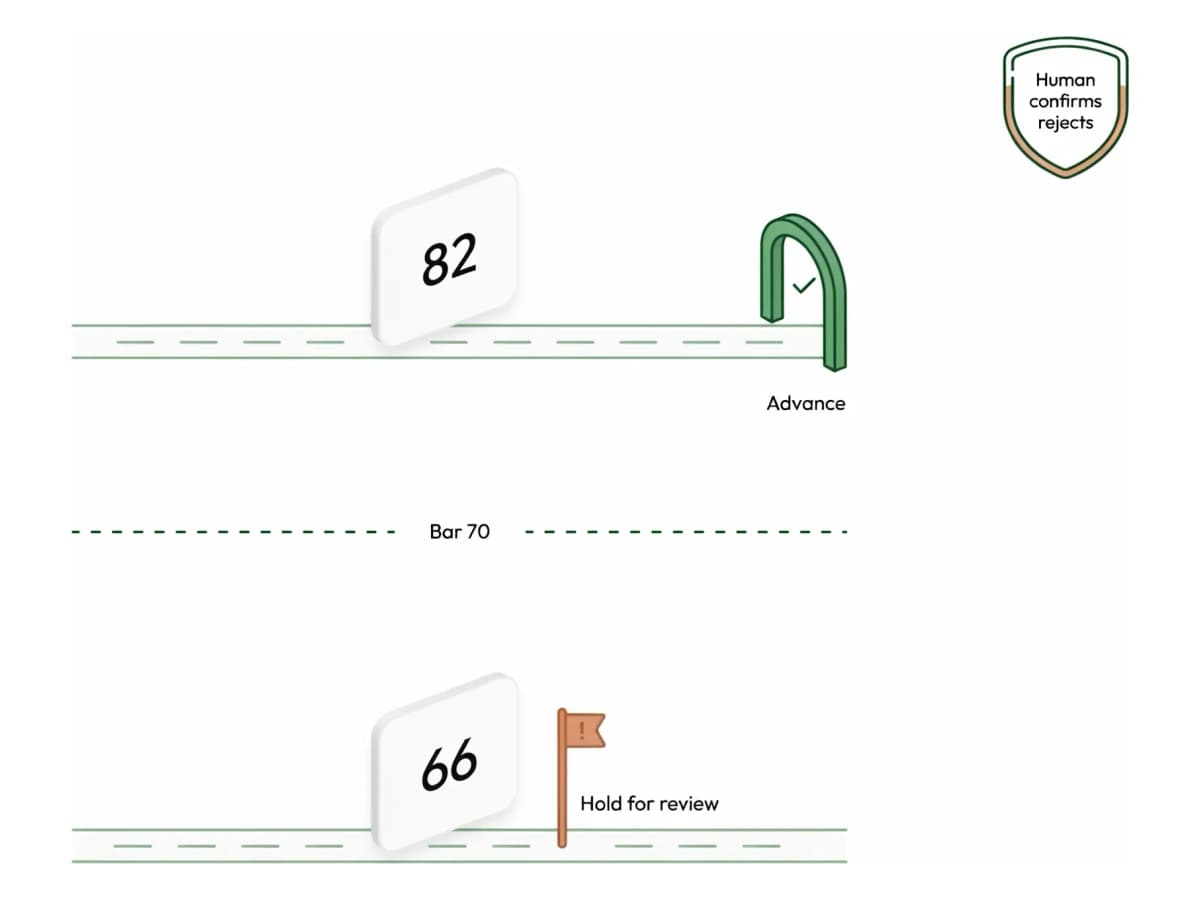
Candidates move on their own, never silently rejected
When a candidate clears a round’s bar, Tarkflo advances them to the next round automatically. When an answer is borderline, it holds them for review instead of deciding for you. Nobody is rejected without a person; at most, an optional anonymized soft-reject digest waits for your confirm.
- Threshold-based auto-advance when a candidate passes
- Hold-for-review when an answer is borderline
- Optional AI soft-reject digest, anonymized, with human confirm
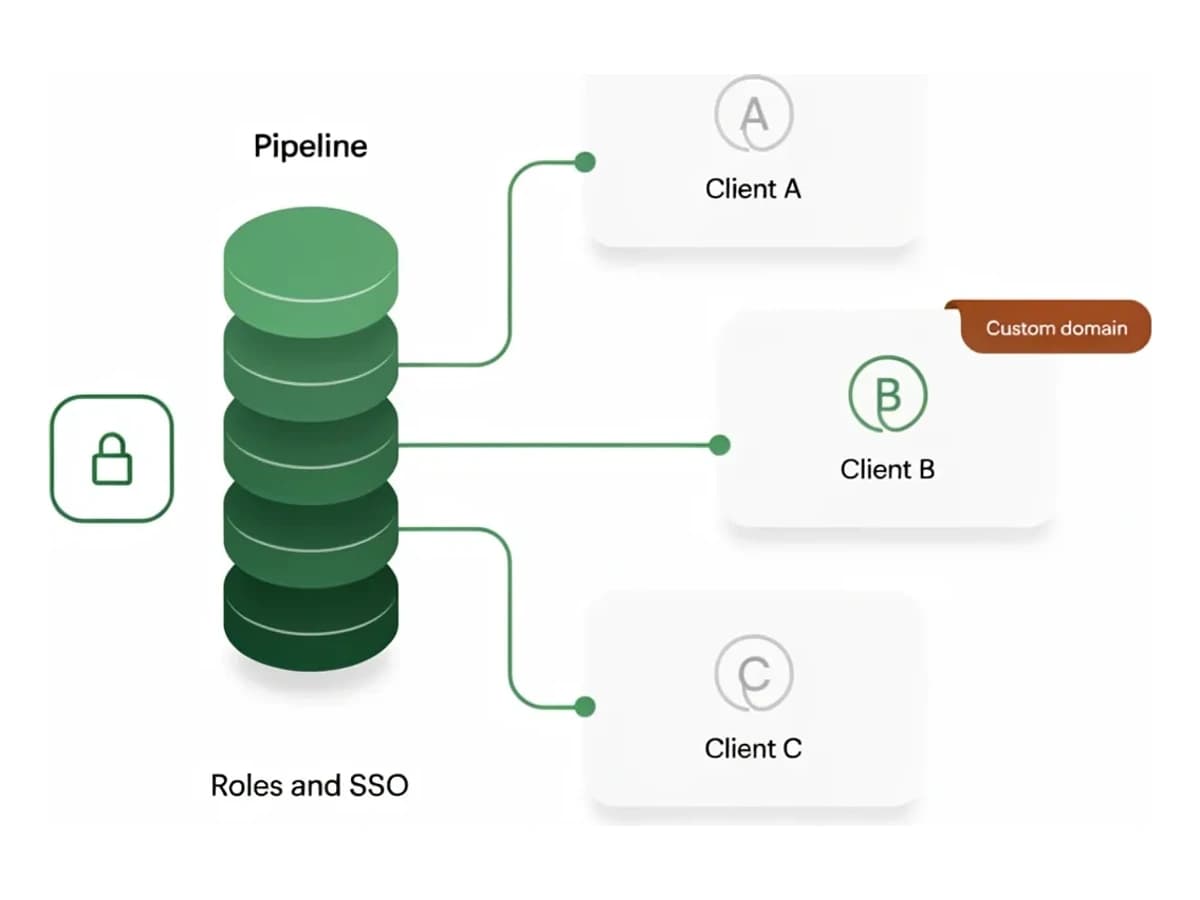
One pipeline, one team, your brand
Every recruiter, coordinator, and hiring manager sees the same candidates, scores, and notes, with roles and permissions keeping the right people in the right view. The candidate-facing experience carries your company's brand: your logo on the careers page and interviews, and an optional custom domain. Agencies organize roles by client and reference the client in candidate communication, all under the agency's own brand.
- Shared pipeline with roles and permissions (RBAC, SSO)
- Your logo and brand across the candidate experience
- Optional custom domain for your branded careers page
What the pipeline does without a recruiter.
- 01
Invited
A careers page or magic link goes out and the candidate starts the first round.
- 02
Scored
On submit, the round’s score decides whether they clear the bar.
- 03
Advanced or held
Passing candidates move to the next round; borderline ones wait for review.
- 04
Surfaced
The owner is notified, in the app and in Slack, Teams, or Google Chat, with a ranked, ready-to-review shortlist.
Everything a high-volume pipeline needs
Apply-first invites
Careers page and magic links, no candidate accounts, higher completion rates.
Bulk actions
Invite, advance, or message candidates in bulk.
Reminders
Automatic nudges so fewer candidates stall.
Roles & permissions
RBAC and SSO (OIDC) control who sees and edits each pipeline.
Chat & webhook alerts
Hiring events post to Slack, Microsoft Teams, or Google Chat, and signed webhooks push them into your own systems.
Activity log
Every advance, reject, and recruiter action logged for audit and handoff.
Common questions
Can different roles have different rounds?
Yes. Each role or client can have its own rounds, thresholds, and bar. Save a workflow as a template to reuse it across roles.
Does the pipeline ever reject a candidate on its own?
No. Auto-advance moves passing candidates forward and holds borderline ones for review. A rejection always needs a person; at most, Tarkflo prepares an optional anonymized soft-reject digest for you to confirm.
How do agencies manage multiple clients?
Roles and pipelines are organized per client inside your workspace, and candidate communication references the client company, so context is never lost. Roles and permissions control who works on what. The platform carries your agency’s brand end to end; per-client white-labeling is not something we offer.
Can it notify our team where we already work?
Yes. Connect Slack, Microsoft Teams, or Google Chat with an incoming webhook and pick the hiring events you care about: new applications, completed interviews, candidates held for review, and more. For your own systems, signed outbound webhooks deliver the same events with an HMAC signature you can verify.